
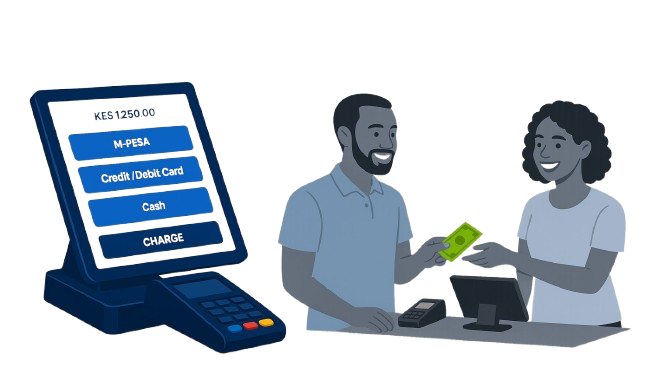
Jampos POS now offers FREE M-PESA, Kopo Kopo, Family Bank, and National Bank integration on all plans - making it the only POS system in Kenya that doesn't charge extra for payment integrations. This feature transforms how you handle mobile money and bank payments, eliminating the frustration of manual payment confirmation.
The Problem: Why Manual M-PESA Confirmation is Costing You Money
Checking Customer Phones Creates Friction
Every day, thousands of Kenyan businesses ask customers to show their M-PESA confirmation SMS. Many customers are uncomfortable sharing their phone messages due to privacy concerns. This creates awkward situations, slows down service, and can even lead to confrontations.
Multiple Till Numbers = Reconciliation Nightmare
If you have multiple till numbers or paybills for different locations or departments, matching payments to the correct account becomes a manual, error-prone process at the end of each day. This is especially challenging for businesses with multiple cashiers or branches.
The Solution: How Jampos M-PESA Integration Works
Jampos connects directly to Safaricom M-PESA, Kopo Kopo, Family Bank, and National Bank APIs to receive real-time payment notifications. When a customer sends money to your till or paybill, the payment appears instantly in your POS system - no phone checking required.
Instant Payment Confirmation (2 Seconds)
The moment a customer completes their M-PESA payment, Jampos receives the notification and displays it in your POS. You see the transaction reference, amount, customer phone number, and timestamp - all within 2 seconds. Your cashier can immediately confirm the payment and complete the sale.
Automatic Payment Matching
Jampos automatically matches incoming M-PESA payments to the correct sale transaction based on amount and timing. If you have multiple till numbers, the system knows which payment belongs to which till, eliminating end-of-day reconciliation headaches.
Supported Payment Methods in Jampos
1. M-PESA Safaricom (Till & Paybill)
Connect your M-PESA till numbers and paybill accounts to Jampos. Supports both Buy Goods and Till Numbers (for retail) and Paybill numbers (for services). You can connect multiple till numbers if you have different accounts for different locations or purposes.
3. Family Bank (Till & Paybill)
Jampos integrates with Family Bank's mobile banking platform, allowing you to receive instant notifications when customers pay via Family Bank till or paybill. Perfect for businesses that want to offer customers alternatives to M-PESA.
4. National Bank (Till & Paybill)
National Bank integration works the same way - instant payment confirmation in your POS when customers use National Bank mobile money services. All payment channels sync to one dashboard for easy reconciliation.
Real Business Impact: What Changes After Integration
Zero Revenue Leakage
Every payment is automatically captured and recorded. You'll never miss a payment because an SMS didn't arrive or got lost in a busy phone. Businesses report 3-5% increase in captured M-PESA revenue after implementing integration.
Effortless Reconciliation
End-of-day reconciliation that used to take 30-60 minutes now takes 2-3 minutes. Jampos automatically tallies all M-PESA payments, matches them to sales, and generates reconciliation reports. Your accountant will love you.
How to Get M-PESA Integration Set Up
Setting up M-PESA integration requires some paperwork with Safaricom and the banks, but Jampos makes the process as smooth as possible. Here's what happens:
Step 1: Sign Up for Jampos POS
Create your free Jampos account and start your 14-day trial. M-PESA integration is included free on all plans - Retail, Hospitality, and QuickTill. No additional monthly fees.
Step 3: Approval & Testing (24-48 Hours)
Once your application is submitted, Safaricom/banks typically approve within 24-48 hours for existing till/paybill accounts. We'll test the integration with small test transactions to ensure everything works perfectly.
Frequently Asked Questions About M-PESA Integration
Do I need a new M-PESA till or paybill number?
No! You can use your existing M-PESA till or paybill number. Jampos connects to your current account - you don't need to change anything or get new numbers. Your customers continue paying to the same numbers they're familiar with.
What if I have multiple till numbers?
Jampos supports multiple till and paybill numbers. You can connect as many as you need - different locations, different departments, different purposes. The system automatically tracks which payment came to which number.
What happens if internet goes down?
If you're using Jampos cloud POS and internet goes down temporarily, payments are queued and sync automatically when connection returns. For QuickTill desktop POS, the system works 100% offline and syncs all M-PESA data when internet returns.
Why Jampos is Different from Other POS Systems
Truly Free Integration
Most POS providers charge Ksh 5,000-15,000 setup fees plus Ksh 2,000-5,000 monthly for M-PESA integration. Some even take a percentage of each transaction. Jampos charges zero - integration is free forever.
Multiple Payment Providers
Unlike competitors who only support M-PESA, Jampos integrates with Kopo Kopo, Family Bank and National Bank too. Give your customers payment options while you manage everything from one system. Whether you need basic M-PESA or advanced Kopo Kopo features, we've got you covered.
Getting Started is Easy
Don't let another day go by losing money to unconfirmed payments or wasting time checking customer phones. M-PESA integration with Jampos transforms how you handle mobile money payments.
What You Get:
✓ Instant payment confirmation in 2 seconds ✓ No more checking customer phones ✓ Zero revenue leakage ✓ Automatic reconciliation ✓ Support for M-PESA, Kopo Kopo, Family Bank, National Bank ✓ Multiple till/paybill support ✓ Complete payment history & reports ✓ FREE forever - no hidden fees
Learn more about retail POS features | See hospitality POS features | Download QuickTill desktop POS
Additional Resources
• How to apply for M-PESA Till Number • M-PESA Paybill vs Till Number - Which is Better? • Complete guide to POS systems in Kenya • How to reduce payment fraud in your business